Anime clips
Anime clips you make yourself, for edits, AMVs, reels and stories. Describe the moment you need, a Ghibli style station at sunset, a Dragon Ball style beam clash, a Solo Leveling style boss fight or an Attack on Titan style street, and Animeblip's agents shoot it as a brand new anime clip. Nothing is cut from a show. Your characters stay consistent from clip to clip.

Examples
Original anime clips, made with AI
A Dragon Ball style beam clash
A bold ink close up
A sunset village scene
A street dance circle
How it works
How to make anime clips with AI
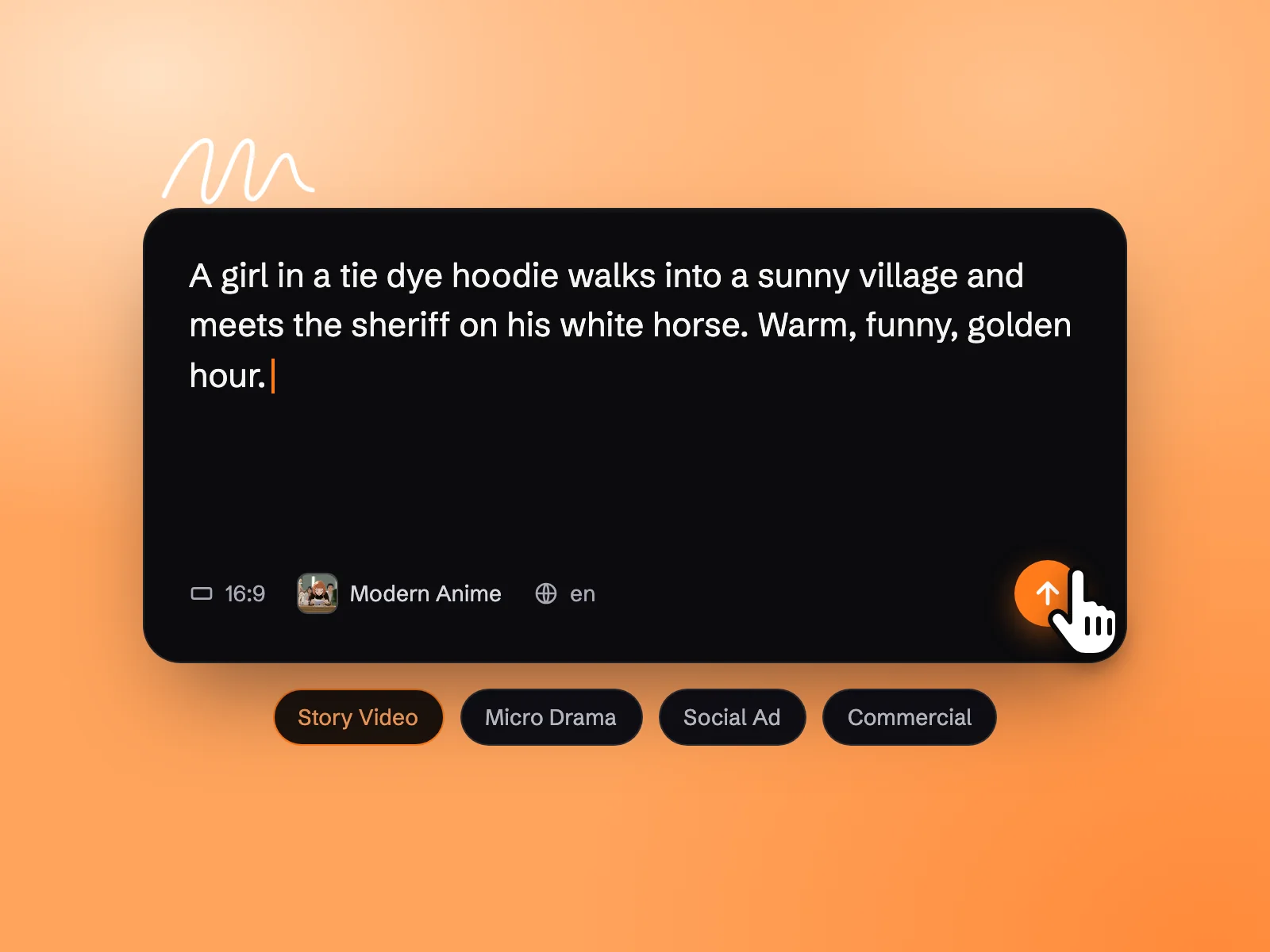 Step 01
Describe the clip you need
Write the moment in a line or two: who is in it, what happens, the camera and the mood. Pick 16:9, 9:16 or 1:1 to match your edit, then tell the agent which anime style you want.
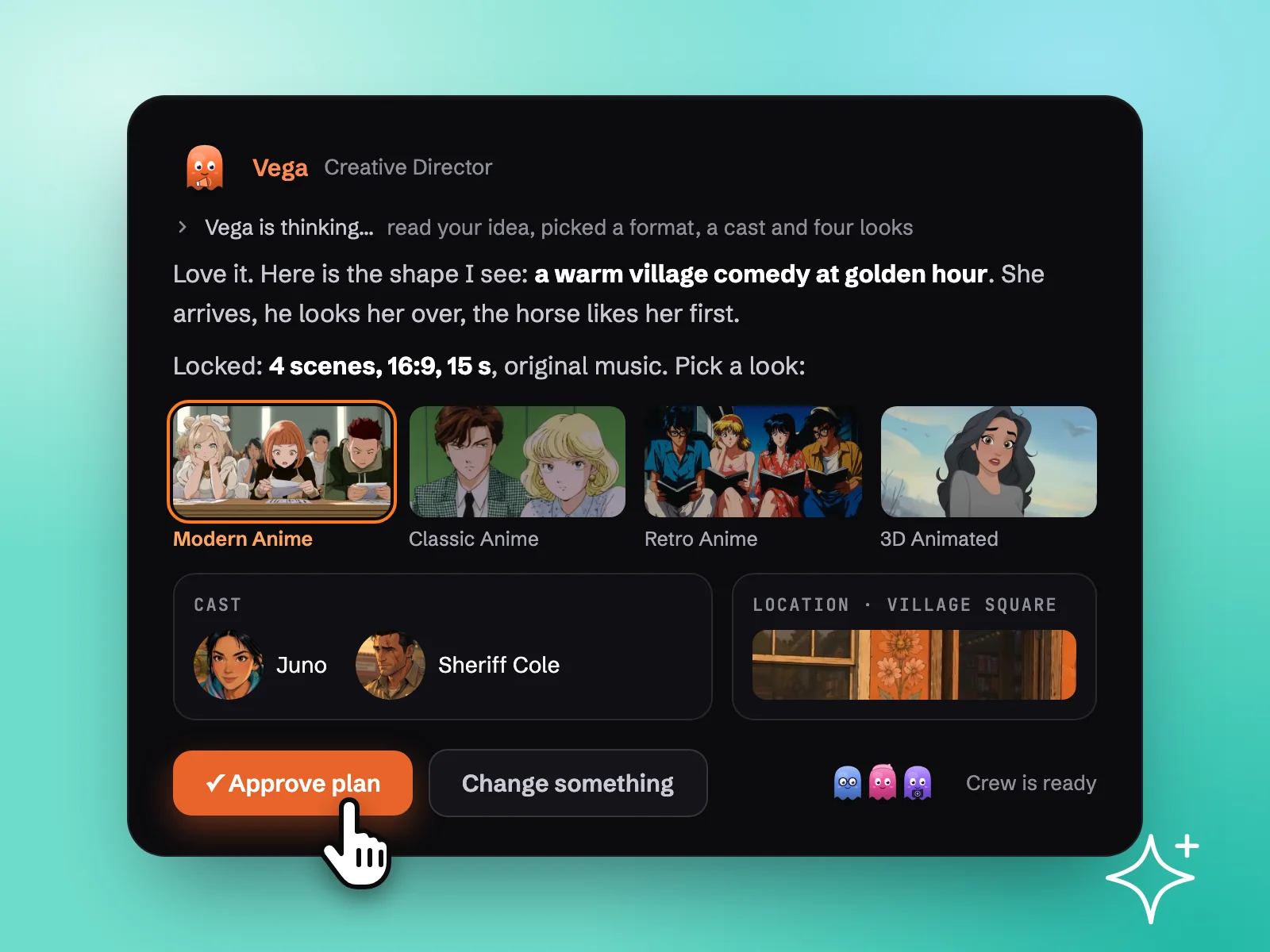 Step 02
Pick an anime style and approve the plan
The agent comes back with a plan card: the characters, the setting and four art styles to choose from. Choose the look and approve it, and the scene image arrives first so you can check the frame before any motion.
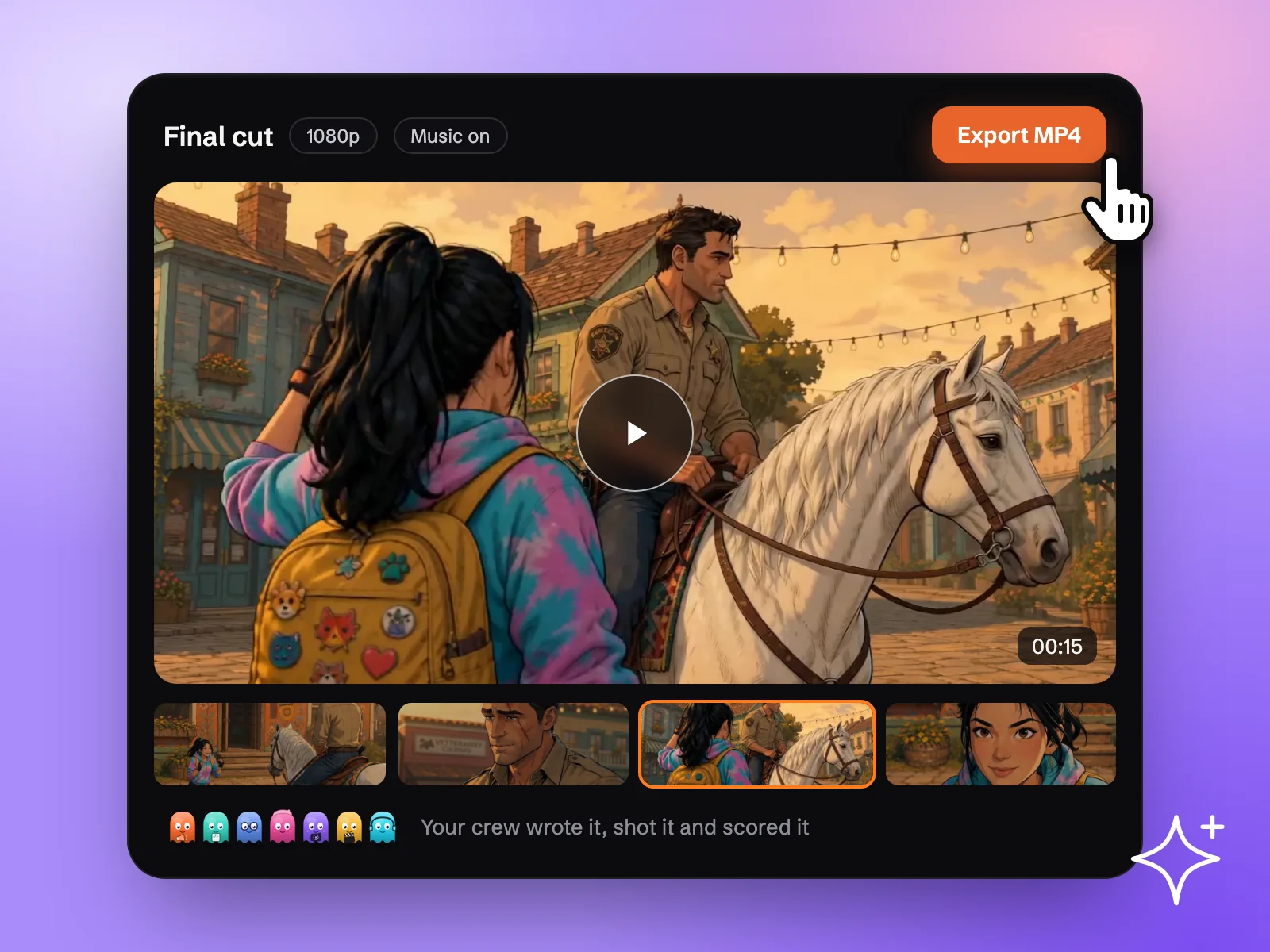 Step 03
Get the clip, refine and export
The agent animates the shot and saves it as an MP4. Ask for another take or extend the part you like, then export it for your edit.
Core feature
Key features of the AI anime clip generator
Consistent characters in one anime style
Indi, the character designer agent, saves each character as a character sheet, so the same face, hair and outfit show up in every clip. Pick the anime style once and Mira, the art director agent, holds every frame to it, so a set of clips for one edit looks like it belongs together.
Direct each shot by chat
Ask for a harder hit, a slower turn or a lower camera in plain words. The agent redoes only that shot and sends it back as a card you approve, so nothing goes into your edit that you did not choose.
900+ art styles, from Ghibli to Solo Leveling
Ghibli style landscapes, Dragon Ball style power ups, Solo Leveling style dark fantasy, Attack on Titan style battles, 90s cartoon, bold ink and cyberpunk anime. Choose from more than 900 art styles and every frame follows the one you pick.
Upscale to 4K, export clean
Every clip saves as an MP4 at full HD in 16:9, 9:16 or 1:1, and the takes you keep can be upscaled to 4K. Paid plans export without a watermark and with a commercial use licence.
Use cases
Anime clips for edits, fight scenes and story series
Anime clips for edits and AMVs
Editors looking for anime clips for edits usually end up cutting from shows. Make your own instead: a rock concert anime clip with a singer in a top hat and sugar skull paint, a red guitar under pink lights and a crowd with fists in the air. It is original footage, ready to cut to your track.

Fight scenes and impact shots
Sakuga style fights are the clips editors hunt for most. Describe two rivals, a white haired swordsman in a patterned kimono against a fighter in a purple hakama, and get blades clashing in sparks, a leap, a downward cut and a bloodied grin. Ask for a slower clash or a closer angle and only that shot changes.
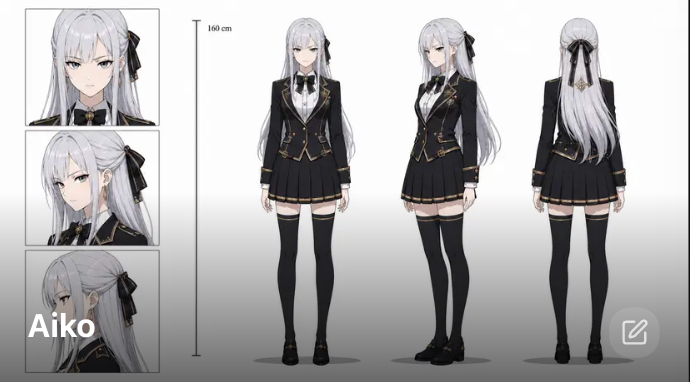
Story clips with the same cast
Building a fan series or a lore edit? Save your characters once and they carry across every clip: Aiko with her silver hair and gold trimmed blazer in the palace hall, a dragon hatchling glowing in the next shot. Same cast, same anime style, clip after clip.
Extend a video
Love the take? Keep it going.
Ask the agent to extend any clip and it carries the finished take further without rolling the part you liked again, so a short shot becomes the longer run your edit needs. Pax, the animation director agent, keeps the camera and the motion flowing, and Tala, the producer agent, runs a whole batch of clips in parallel.
Other related workflows you might also like
Simple pricing
Pick the credits you need. Every paid plan exports clean, with a commercial licence.
For Individual Creators
Standard
$19/month
Billed monthly
1,900 credits / month
- ~380 images, ~190s of video
- Access to all image, video & audio models
- Intelligent agentic chat — access to specialised subagents
- 900+ art styles
- Micro-drama creation (vertical episodic series)
- Consistent art style, characters and voices
For Full-Time Creatives and Marketers
Pro
$39/month
Billed monthly
4,300 credits / month
- ~860 images, ~430s of video
- Access to all image, video & audio models
- Intelligent agentic chat — access to specialised subagents
- 900+ art styles
- Micro-drama creation (vertical episodic series)
- Consistent art style, characters and voices
For Marketing or Creative Teams
Director
$99/month
Billed monthly
12,000 credits / month
- ~2400 images, ~1200s of video
- Access to all image, video & audio models
- Intelligent agentic chat — access to specialised subagents
- 900+ art styles
- Micro-drama creation (vertical episodic series)
- Consistent art style, characters and voices
For Studios & Agencies
Studio
$299/month
Billed monthly
42,000 credits / month
- ~8400 images, ~4200s of video
- Access to all image, video & audio models
- Intelligent agentic chat — access to specialised subagents
- 900+ art styles
- Micro-drama creation (vertical episodic series)
- Consistent art style, characters and voices