KuaishouAnimeblipLive

    Kling 4.0AI video generator

    Kuaishou's Kling 4.0 makes one clip of up to 30 seconds in a single pass, with two channel stereo sound, up to 10 keyframes to steer it and up to 15 reference images and videos, and its Precise Video Editing changes one detail of a video you already have while the rest stays put. On Animeblip you write the story once, and the crew keeps your cast the same across every clip it makes.

    • Clip length3 to 30 s
    • ResolutionUp to 4K
    • References15 (10 images, 5 videos)
    • AudioStereo, 9+ languages
    • Aspect ratios21:9, 16:9, 1:1, 9:16
    • Made byKuaishou
    Kling 4.0 AI video generator
    Model
    Kling 4.0
    References@ to tag your cast
    Resolution
    4K
    Aspect ratio
    16:9
    Duration
    3 to 30 s
    Generate with Kling 4.0

    Free credits to startNo card neededCost shown before every run

    Example scene4K · 16:9
    Now live

    What Kling 4.0 brings

    Twice the length of Kling 3.0, keyframes in place of a start and end frame, stereo sound in more languages, and references that include video.

    01

    30 seconds, steered by keyframes

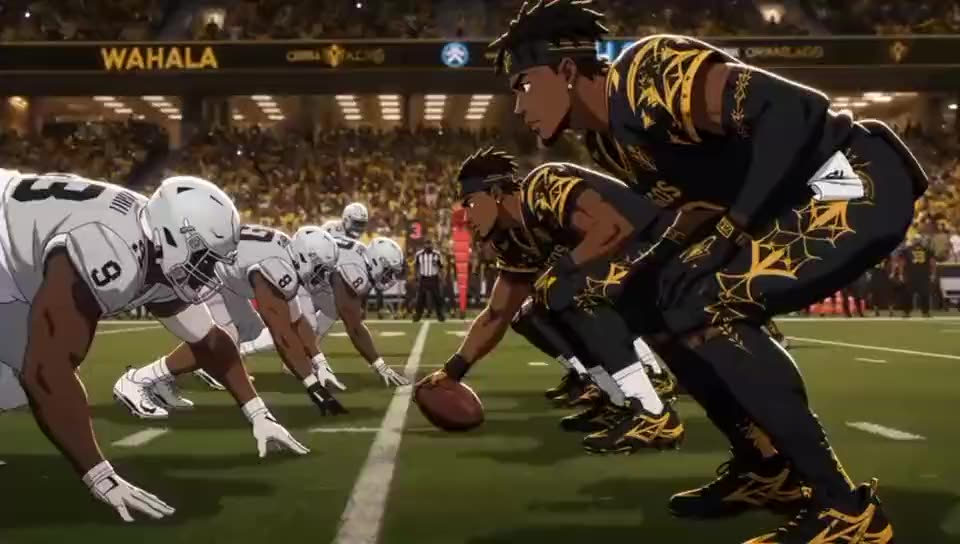
    Kling 4.0 makes a clip of 3 to 30 seconds in one pass, where Kling 3.0 stopped at 15. Instead of only a first and a last frame, you can pin up to 10 keyframe images along the way: the first step, the spin, the freeze, the crowd's cheer. The model fills the motion between them, with push ins, pans, tracking and orbit moves on the camera.

    02

    Stereo sound in your language

    Audio comes out in two channel stereo, generated together with the picture, and lip sync is tighter than before. Characters speak Chinese, English, Japanese, Korean, Spanish, Portuguese, German, French, Hindi and more, with accents such as British, American and Indian English or Cantonese and Sichuan Chinese. Kling 3.0 was mono and covered five of those languages.

    03

    Omni Reference: 15 references at once

    Give one generation up to 15 references: up to 10 images, up to 5 videos with 30 seconds of footage between them, and a voice reference for how a character sounds. Images hold faces, outfits and places. Video references can carry a move, a camera path or a performance, and Kling 4.0 also accepts white model and depth map videos.

    04

    Motion control and video editing

    On Animeblip, motion control takes the movement from a reference video and puts it on your character: here a grey mannequin's walk drives an old traveller step for step, and a dance or a fight works the same way. Kling 4.0 takes motion references of its own too: a reference video, a white model video or a depth map video guides the action, the camera and the pacing of a new clip. Once you have the clip, Precise Video Editing changes one detail of it, an expression, a body movement, the camera, the style or the background, while the rest of the shot stays as it was. Source clips run from 3 to 30 seconds.

    Kling 4.0 on Animeblip

    More than one clip at a time

    Kling 4.0 makes the shot. The studio around it makes the episode.

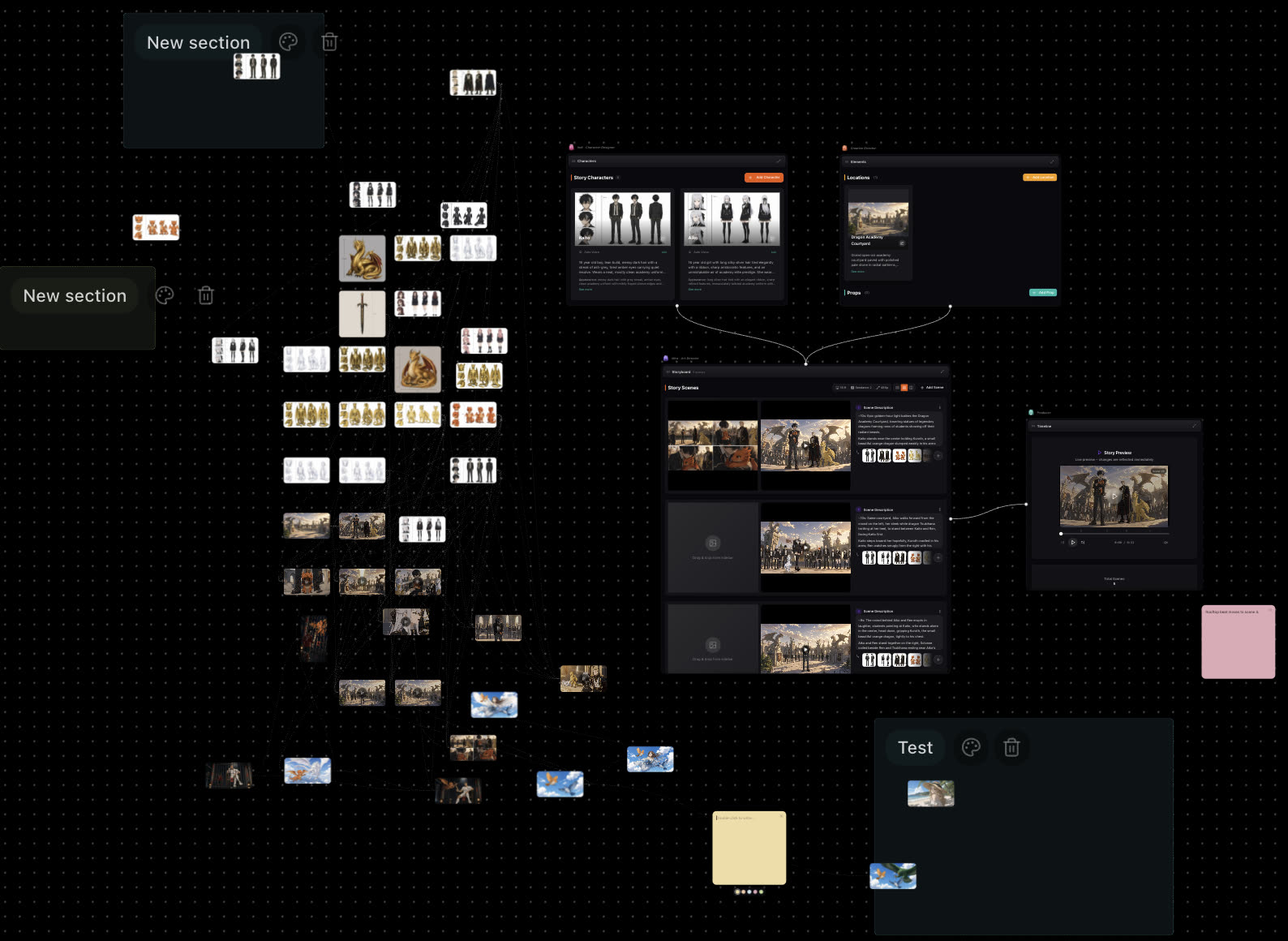
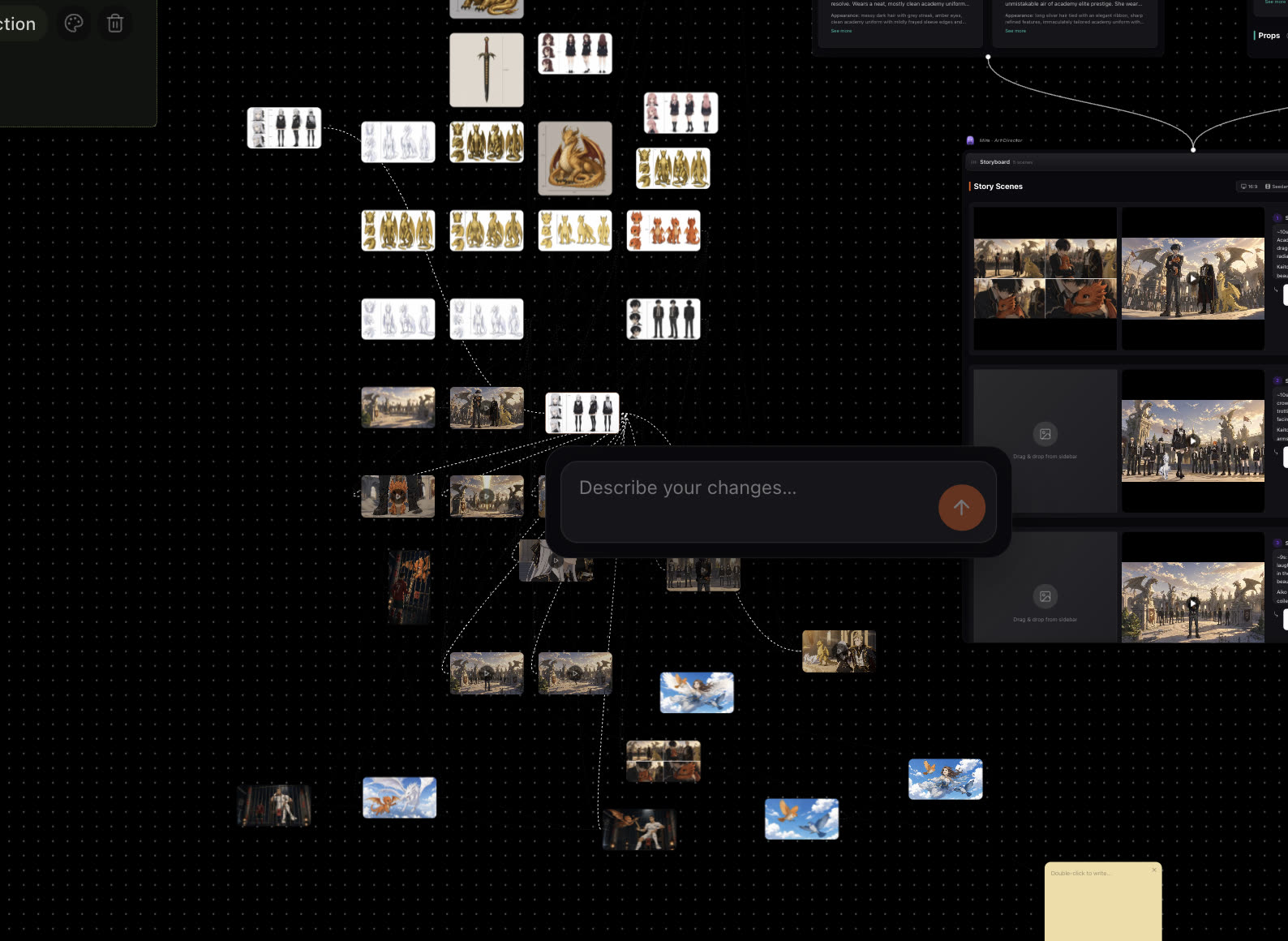
    The studio board zoomed out: character sheets, dragon turnarounds, scene images and video thumbnails, with Characters, Elements, Storyboard and Timeline panels joined by curves

    From a script to every scene

    Paste a script or a one line idea. Quill, the writer agent, breaks it into scenes, Mira, the art director agent, sets up the shots, and Pax, the animation director agent, renders them on Kling 4.0. Every scene, take and cut sits on one board, and you ask for changes in the chat.

    Start from a script
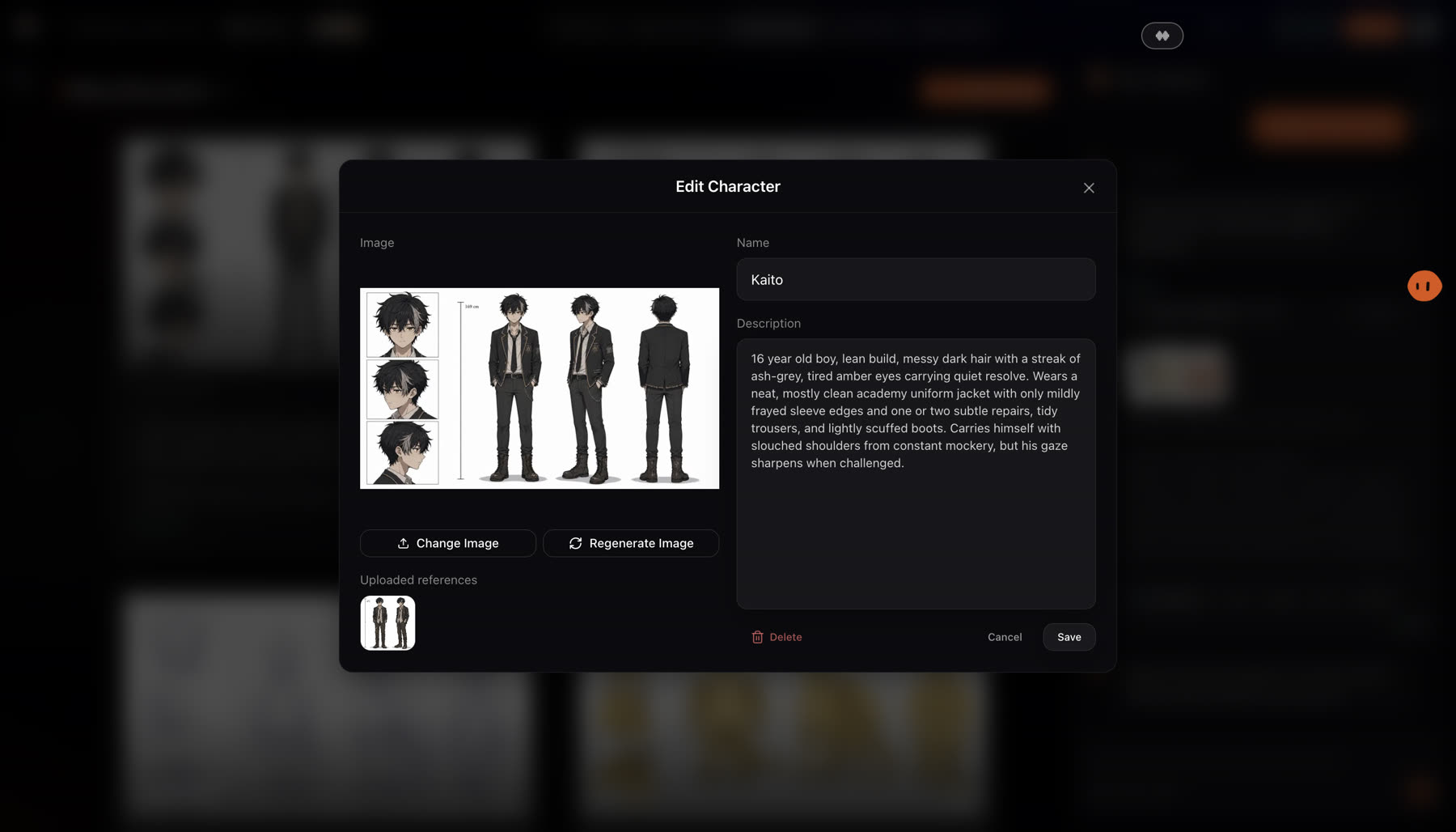
    The Edit Character dialog with Kaito's character sheet, an uploaded reference, his name and a full description

    The same cast in clip 1 and clip 20

    A 30 second clip is one shot. An episode is many. Each character is saved once with a sheet and a description, and goes into every Kling 4.0 shot as a reference, so faces and outfits do not drift from one clip to the next or from one episode to the next.

    Build your cast
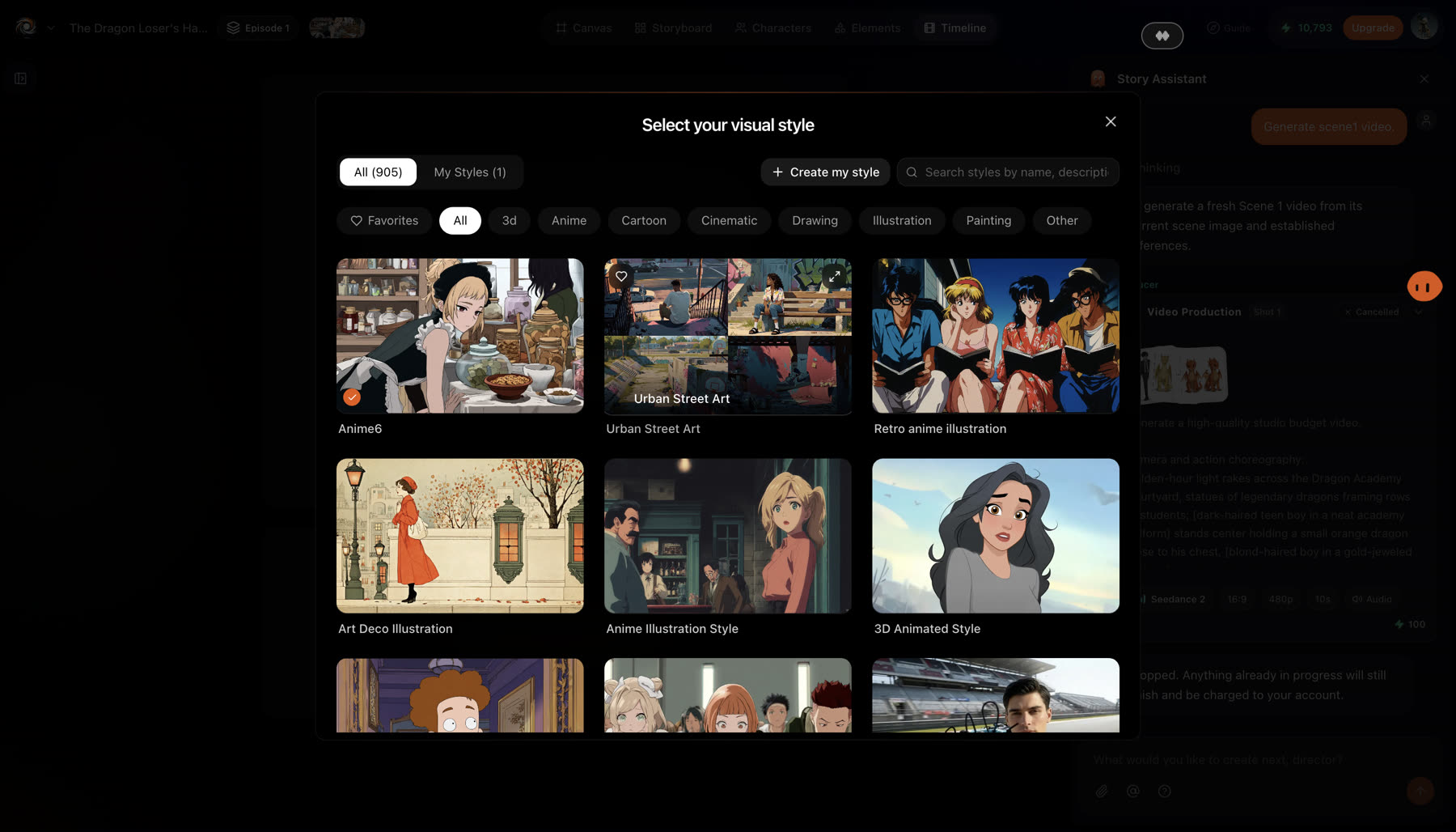
    The Select your visual style dialog with 905 styles, a search box, category chips for Anime, Cartoon, 3D and more, and a grid of style tiles

    Anime, cartoon, clay or realistic

    Kling's own examples show clay, felt and 3D looks. On Animeblip you choose from over 900 art styles: anime old and new, cartoon, painted, realistic and more, and every frame you send to Kling 4.0 is drawn in that style first.

    Pick a style
    Compare

    Kling 4.0 vs Kling 3.0

    What changed between the two versions, from Kuaishou's own comparison.

    Kling 4.0Kling 3.0
    Clip length3 to 30 s3 to 15 s
    Frame controlUp to 10 keyframesStart and end frames
    AudioTwo channel stereoMono
    Languages named9, adds Portuguese, German, French and Hindi5: Chinese, English, Japanese, Korean, Spanish
    ReferencesUp to 15: 10 images, 5 videos (30 s in all)Up to 7 images, or 1 video of 15 s plus 4
    Creative RecreationYesNo
    Colour10 bit HDR8 bit SDR
    ResolutionUp to 4KUp to 4K

    Figures are from Kuaishou's Kling 4.0 release note, its Kling 4.0 vs 3.0 post and fal's Kling 4.0 page. Length, resolution and price for each run appear in the studio before you confirm.
    How it works

    Kling 4.0 on Animeblip in three steps

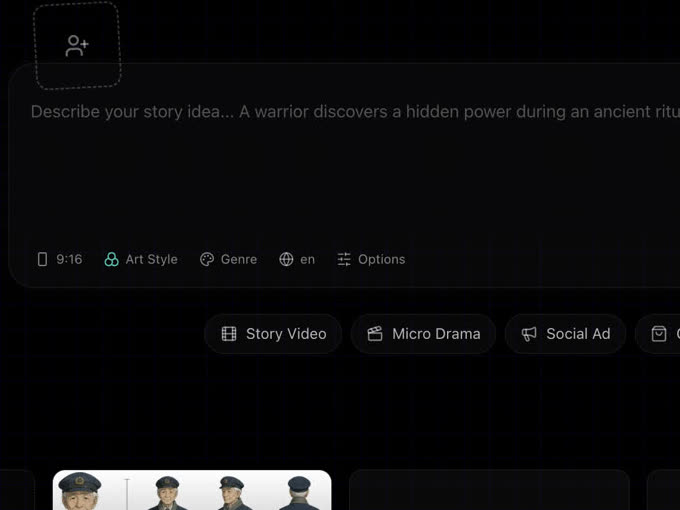
    1. The studio story idea box with a slot for a character reference, chips for 9:16, Art Style, Genre and language, and the Story Video, Micro Drama and Social Ad types
      Step 01

      Write the idea

      Describe one shot or a whole story, add a character reference if you have one, and choose the shape and the art style.

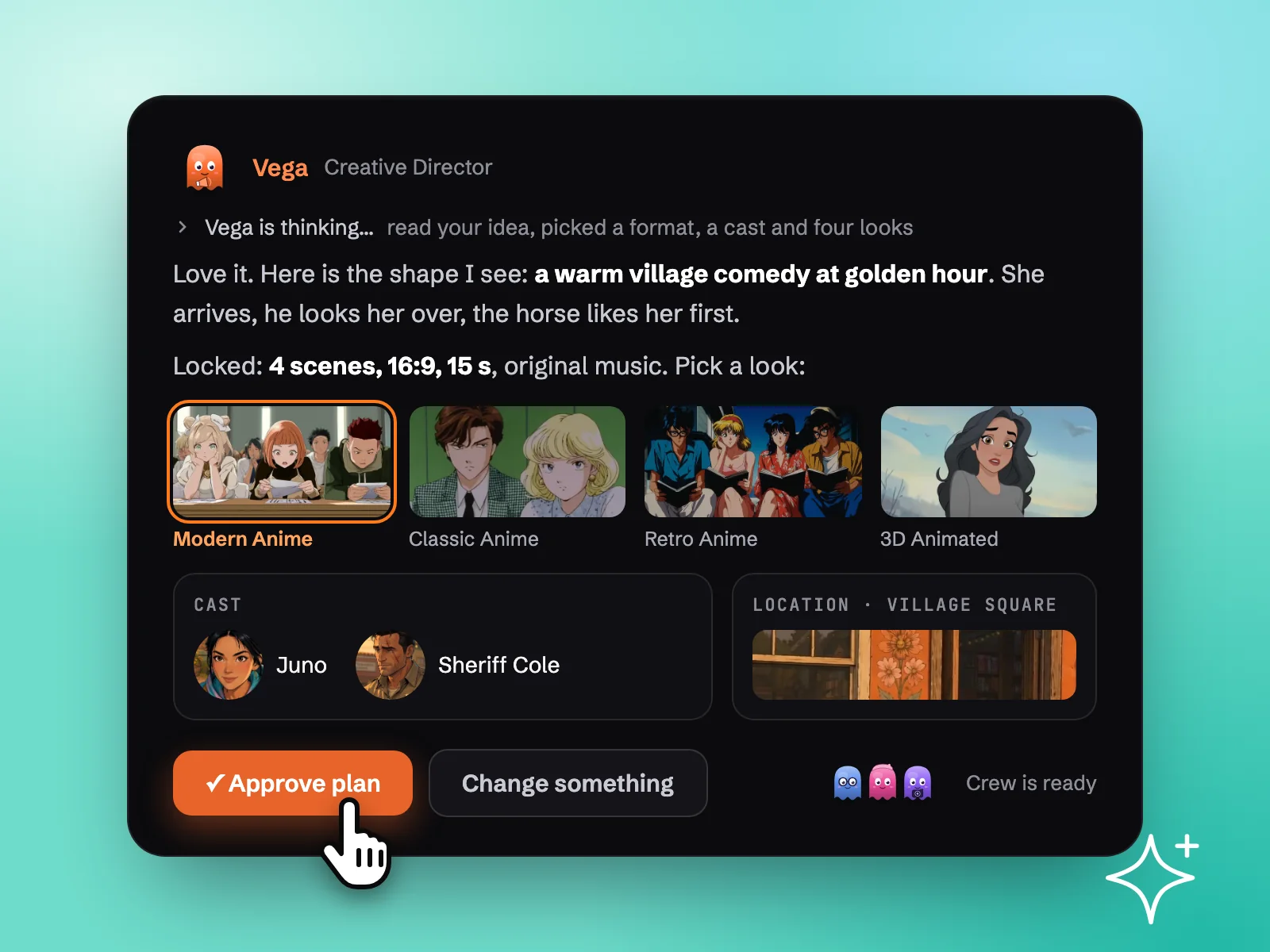
    2. A plan card from Vega, the creative director, with four art style pictures, a cast box, a location box and an Approve plan button
      Step 02

      Approve the plan

      Vega, the creative director agent, sends back the scenes, the cast and four looks. Change anything in plain words, then approve.

    3. The studio canvas with one image selected, the Describe your changes box open under it and dotted lines to the media it came from and feeds
      Step 03

      Fix a shot, then export

      Click any frame or clip and describe the change. When every shot is right, download the finished cut as one MP4 with its music and voices.

    Simple pricing

    Pick the credits you need. Every paid plan exports clean, with a commercial licence.

    For Individual Creators

    Standard

    $19/month

    Billed monthly

    1,900 credits / month

    Get started
    • ~380 images, ~190s of video
    • Access to all image, video & audio models
    • Intelligent agentic chat — access to specialised subagents
    • 900+ art styles
    • Micro-drama creation (vertical episodic series)
    • Consistent art style, characters and voices
    For Full-Time Creatives and Marketers

    Pro

    $39/month

    Billed monthly

    4,300 credits / month

    Get started
    • ~860 images, ~430s of video
    • Access to all image, video & audio models
    • Intelligent agentic chat — access to specialised subagents
    • 900+ art styles
    • Micro-drama creation (vertical episodic series)
    • Consistent art style, characters and voices
    For Marketing or Creative Teams

    Director

    $99/month

    Billed monthly

    12,000 credits / month

    Get started
    • ~2400 images, ~1200s of video
    • Access to all image, video & audio models
    • Intelligent agentic chat — access to specialised subagents
    • 900+ art styles
    • Micro-drama creation (vertical episodic series)
    • Consistent art style, characters and voices
    For Studios & Agencies

    Studio

    $299/month

    Billed monthly

    42,000 credits / month

    Get started
    • ~8400 images, ~4200s of video
    • Access to all image, video & audio models
    • Intelligent agentic chat — access to specialised subagents
    • 900+ art styles
    • Micro-drama creation (vertical episodic series)
    • Consistent art style, characters and voices
    FAQ

    Questions,
    before you start.

    Still stuck? Talk to us, we answer these ourselves.

    More models in the studio

    Vidu Q4

    Shengshu

    Image and reference to video with voice references, up to 4K.

    Seedance 2.5

    ByteDance

    Long clips with sound and a large reference budget.

    Seedance 2

    ByteDance

    Quick shots and drafts.

    MiniMax H3

    MiniMax

    Faces full of expression, made quickly.

    Wan 3.0

    Alibaba

    An open model that suits stylised work.

    GPT Image 2

    OpenAI

    Still frames, character sheets, posters.

    Thirty seconds holds a whole scene.

    Open the studio free, choose Kling 4.0, and the crew joins the scenes into a story.