Docs / Use cases
Marketing
Brief the crew once and it holds the brand across every shot, every format and every drop.
Updated November 16, 2026
Add your product
- 1
Open Add product or object
On the studio home, choose the bag button above the prompt box (Add product or object). The add menu offers the same choice: character, location, product or object.
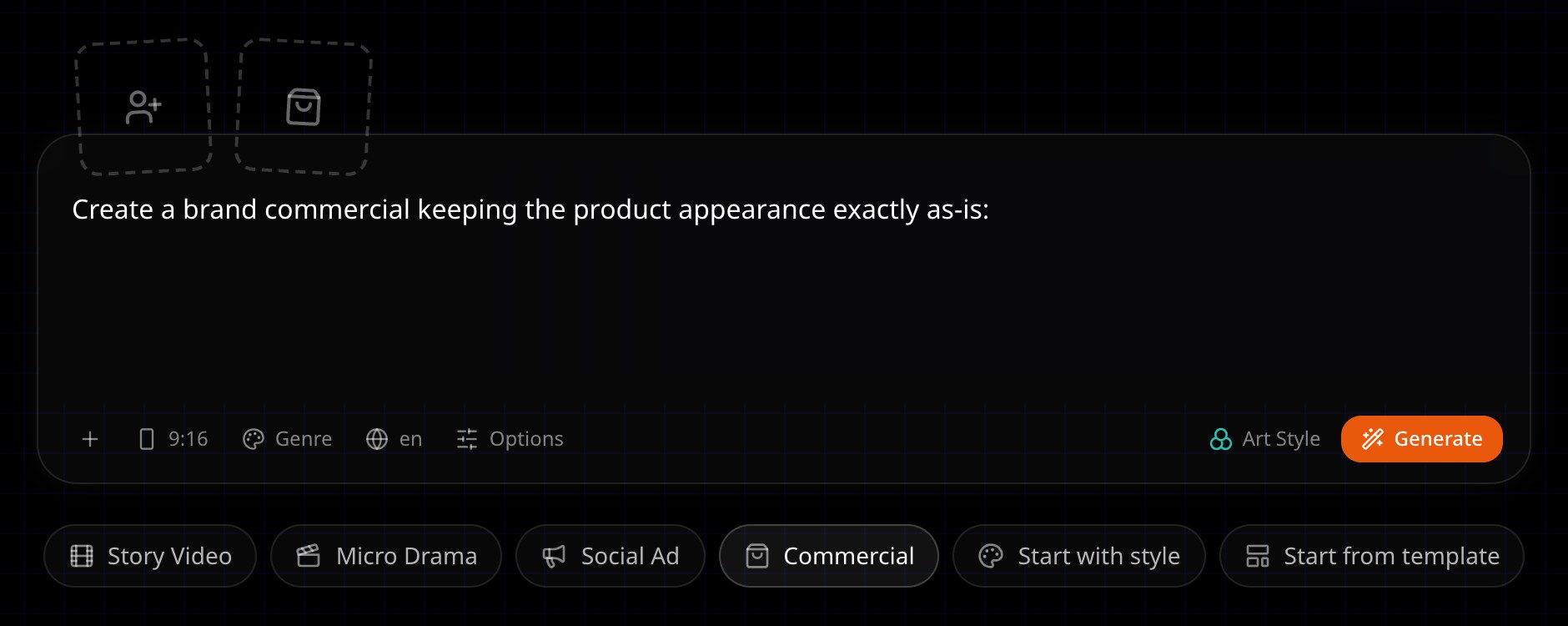
The bag button above the prompt box (Add product or object) adds your product. The Social Ad and Commercial chips sit below the box. - 2
Pick Product
Set Type to Product, give it a name and add one image.
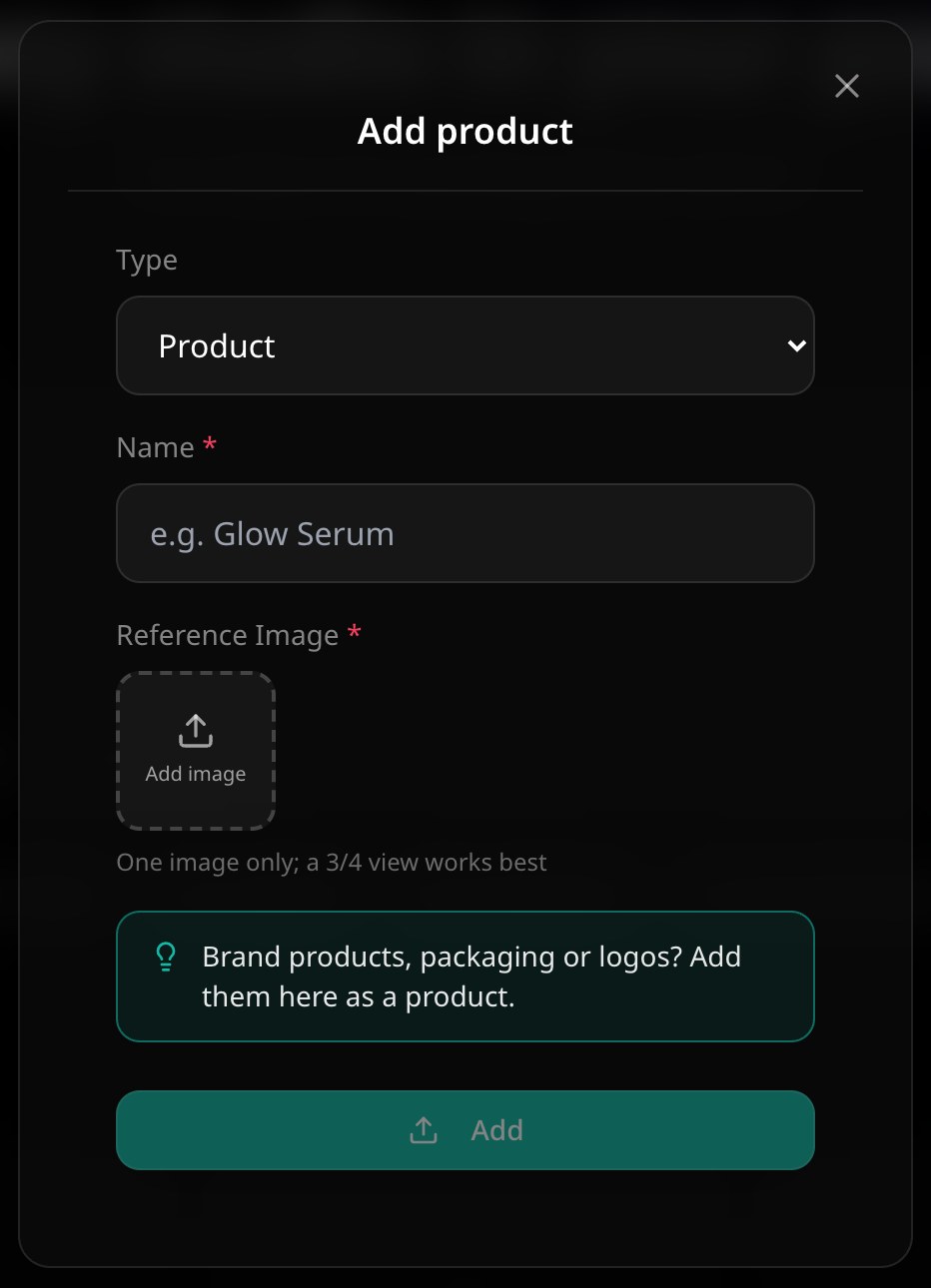
Brand products, packaging or logos go in as a product. - 3
Add it
Your product is kept exactly as it is. Nothing is generated from it, and it is attached to the new story.
Pick the ad type
Choose the Social Ad or Commercial chip under the prompt box, type what the ad is about and choose Generate. The Commercial chip starts the box with "Create a brand commercial keeping the product appearance exactly as-is: ".
- Social Ad / UGC
- Vertical and feed-native, shot like a phone video: a product review, an outfit try-on or an unboxing. The product or offer is clear within about 3 seconds. The flow is hook, demonstration, proof or reaction, then the takeaway. An unboxing keeps to hands and product.
- Commercial
- Cinematic and wide, brand or TV-style, in 3 to 5 beats that end on a product hero moment. If you give a brand name and a slogan, the last scene ends on them.
- Storytelling ad
- A short story with your product placed in it naturally instead of shown off. Story-led ads improve brand recall. Add your product with the bag button, describe the story, and pick the story option when the agent asks the type.
- Animated ad
- Any of these in an animated style. Animated ads feel native to the feed and highly relatable for a Gen Z audience. Pick an animated art style for the story.
On the storyboard the agent asks what kind of video this is. Pick the social ad or commercial option.
Make ads in bulk with your AI agent
Connect Animeblip to your AI agent over MCP and ask it for creatives in bulk, from a few variations to hundreds: different hooks, offers, formats or languages for the same product. Each one runs through the same crew and spends your credits. See Connect an AI app.
Next
Was this page helpful?