Docs / Use cases
Filmmaking & animation
Write it, cast it, shoot it and score it on one board. Build the cast once and run it across a whole slate without the look drifting from one film to the next.
Updated November 16, 2026
Start a story
- 1
Choose Story Video
On the studio home, choose the Story Video chip under the prompt box. It fills the box with a starter line and puts the cursor after it.
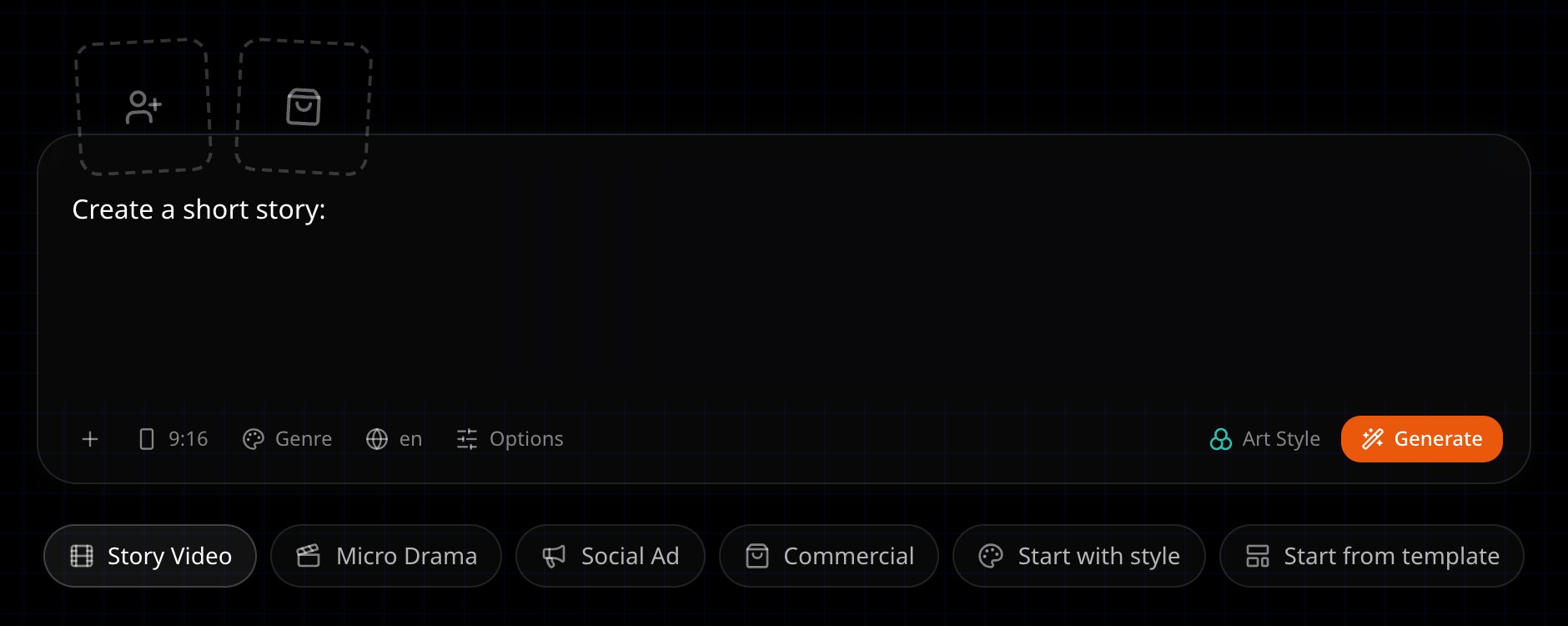
Start from the Story Video chip, or just type your idea. - 2
Type your idea
A line, a paragraph or a full script. Then choose Generate.
- 3
Confirm the type
On the storyboard the agent asks what kind of video this is. Pick the story option.
What you can make
Short films, anime stories, manga adaptations and music videos all start the same way. Say which one you want in your brief, and pick the matching option when the agent asks the type.
Keep the cast across films
Build the cast once. Episodes in the same series share the characters and elements, so the look does not drift from one film to the next. Open Episodes on the storyboard and choose Create next episode. The new episode keeps the art style, aspect ratio and language, and shares the characters and elements.
Next
Was this page helpful?